Tessera
A tiling Wayland compositor you craft in Lisp.
Tessera is a window manager for Linux, built on wlroots and written in Sigil, a Lisp derived from Scheme. A small C core draws your screen and speaks Wayland. Everything that decides how your windows behave (layouts, focus, keys, workspaces, the bar) is Sigil code you can read, change and reload without logging out.
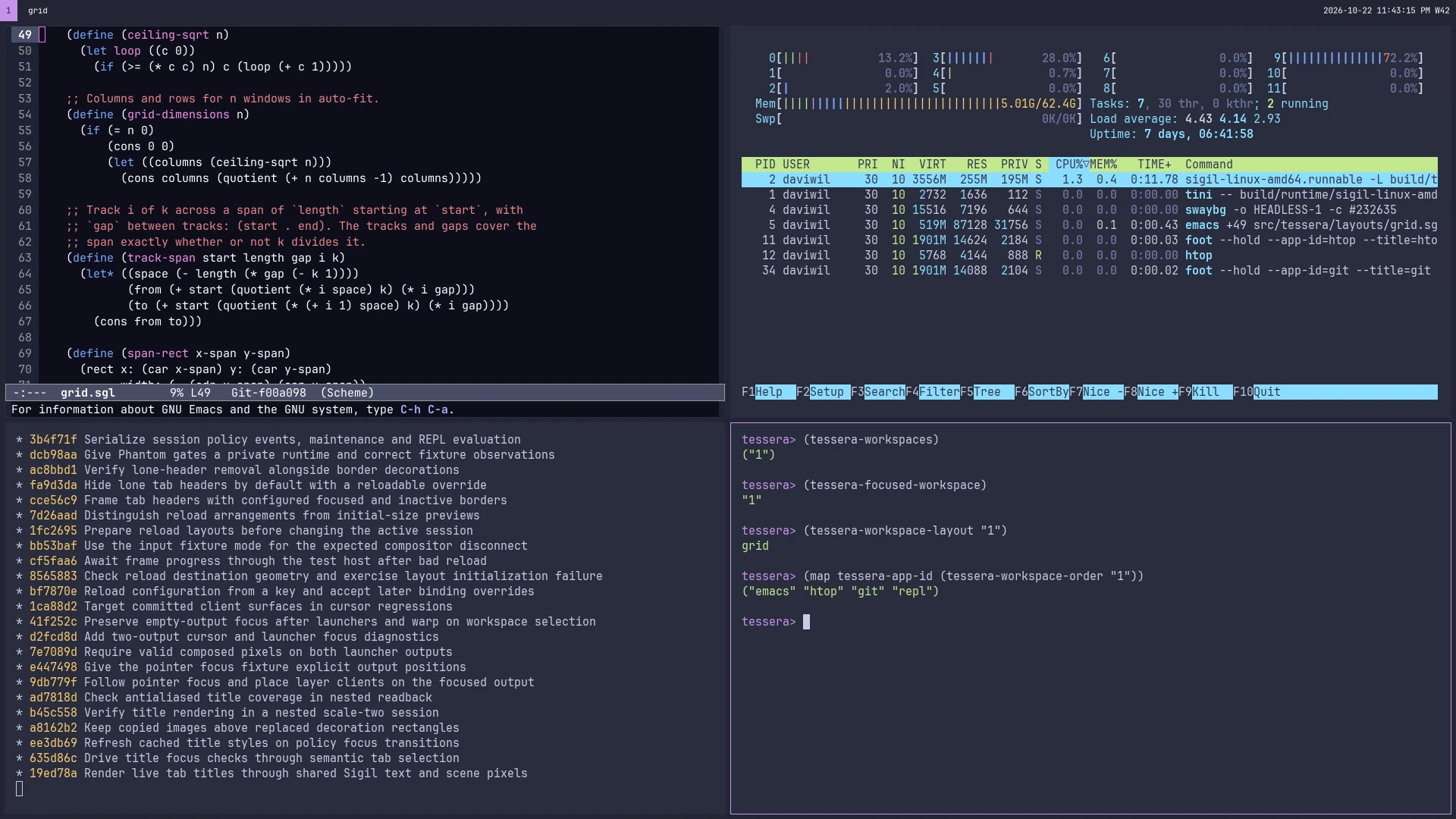
What it looks like
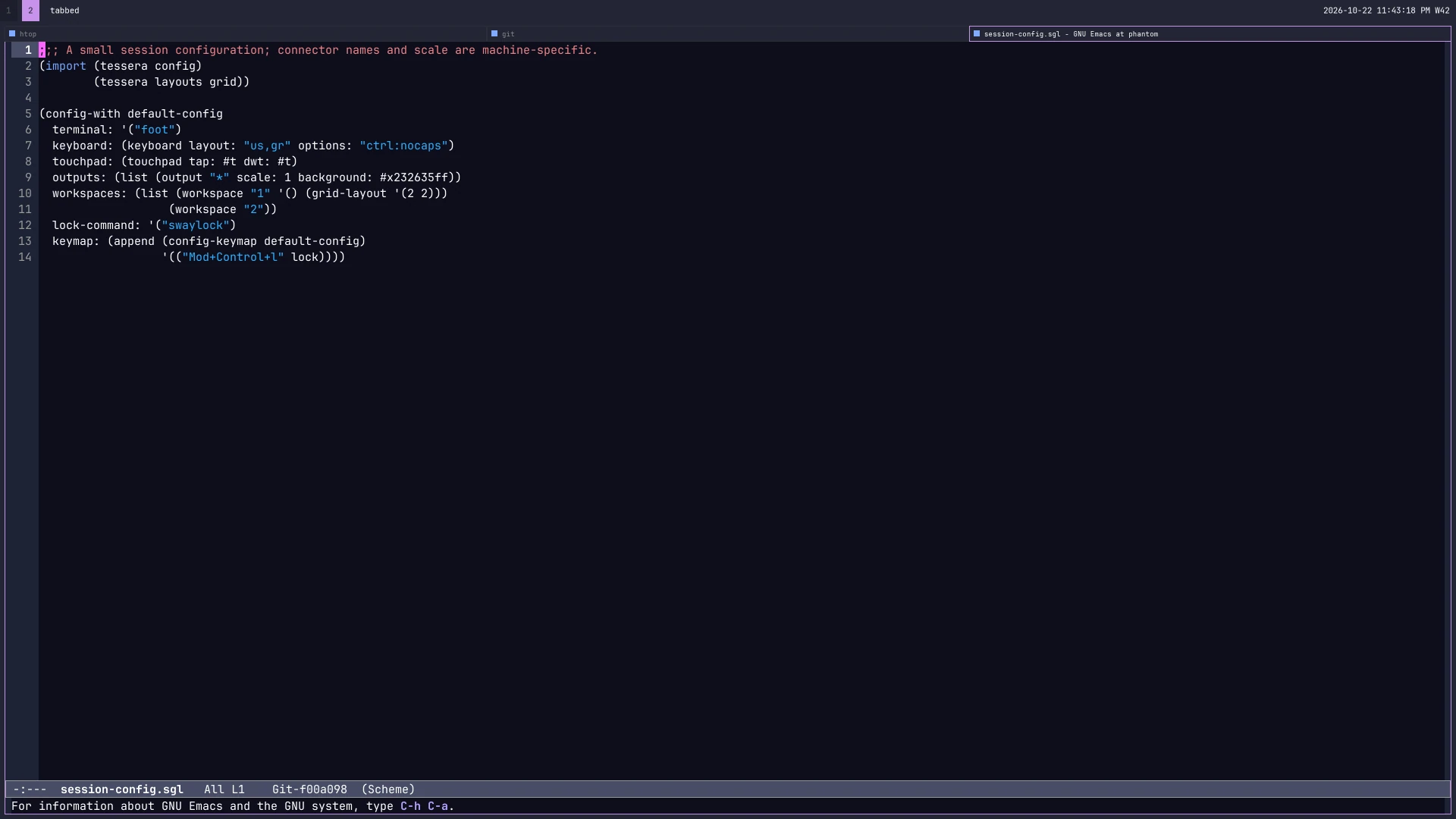
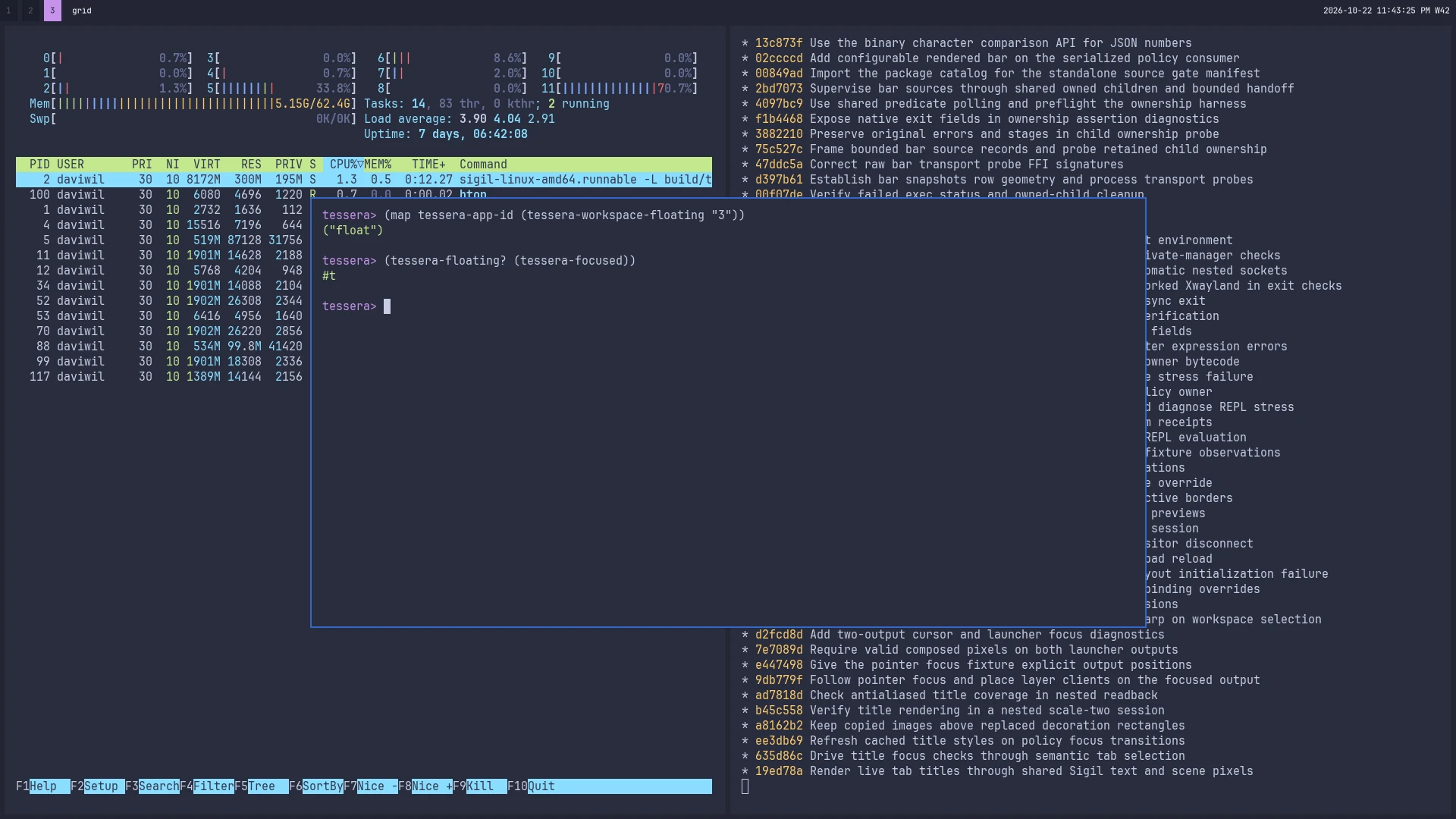
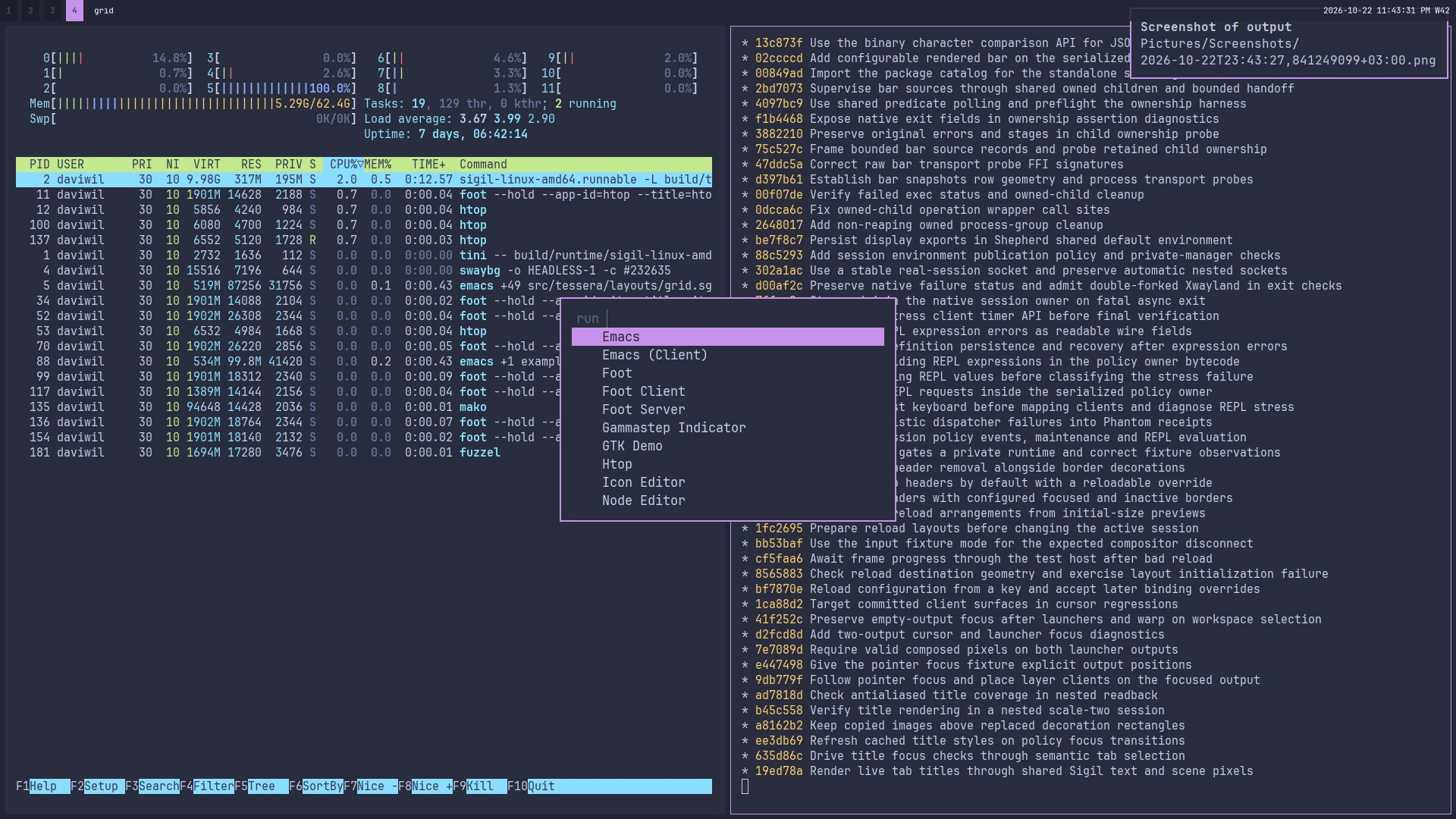
Your window manager is a program
Many window managers hand you a config file. You can change the numbers and the key bindings, but the behavior behind them is fixed unless you patch the compositor and rebuild it. Tessera draws the line in a different place.
The C side is only the part that has to be fast: Wayland protocols, rendering, the frame loop and buffer handling. The decisions live in Sigil: where a new window goes, what a key does, which workspace shows on which monitor. Those are ordinary Sigil procedures, and you can read every one of them.
A REPL into your session
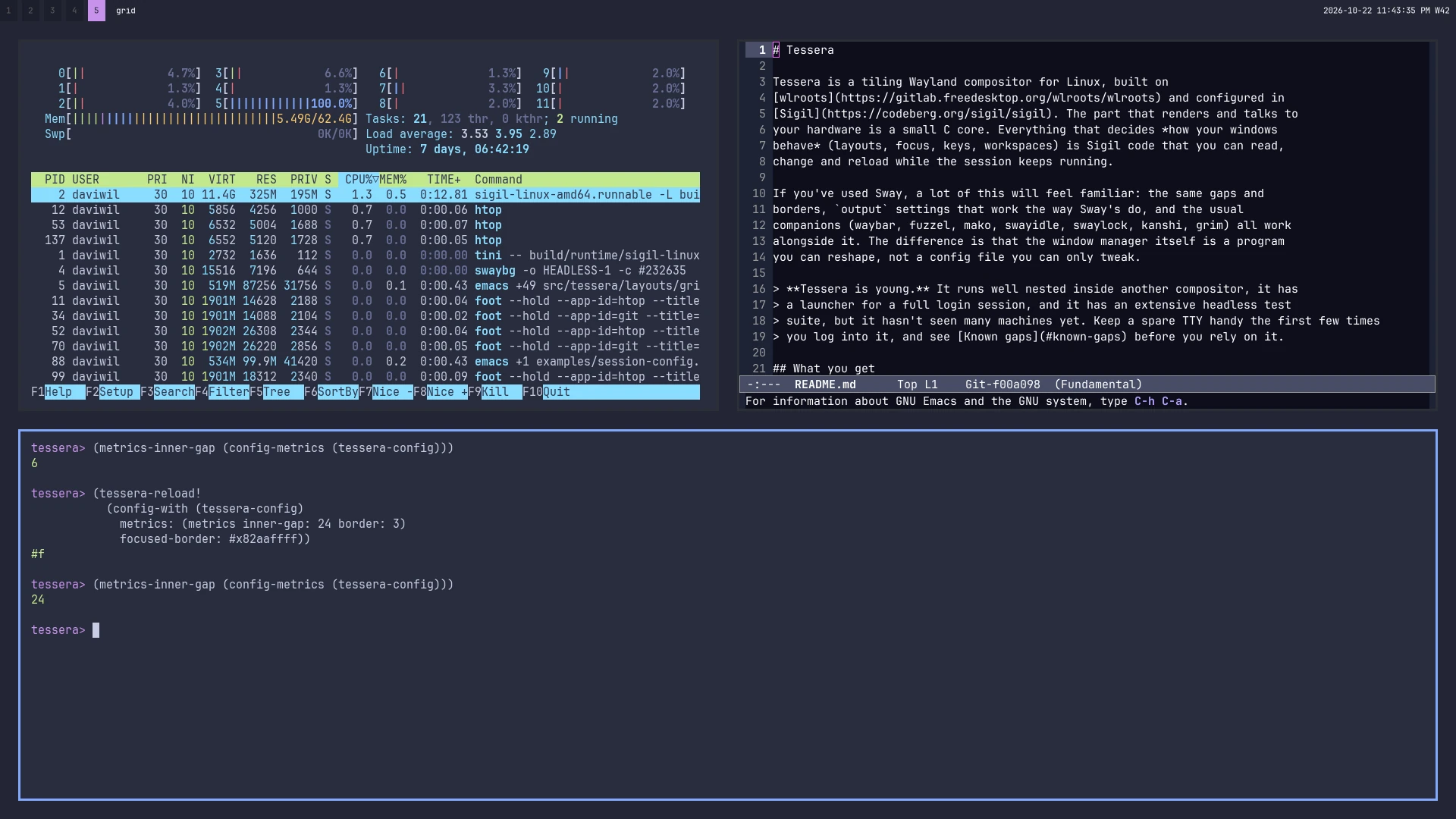
Start Tessera with TESSERA_REPL_PORT set and connect to it from a Sigil nREPL client. You can ask the running session what it's doing, or hand it a new configuration. The README has the details. These are the questions from the screenshots and the answers Tessera gave:
;; in the (tessera policy) module
(tessera-focused-workspace)       ; => "1"
(tessera-workspace-layout "1")    ; => grid
(map tessera-app-id (tessera-workspace-order "1"))
                                  ; => ("emacs" "htop" "git" "repl")

(tessera-reload!
  (config-with (tessera-config)
    metrics: (metrics inner-gap: 24 border: 3)
    focused-border: #x82aaffff))
The new configuration takes over and your windows don't move: they keep their workspaces, their tab order and their floating positions.
Today the REPL can replace the configuration and look into the running state. Where I'm taking it is further than that! Every decision Tessera makes should be a procedure you can redefine from the REPL the same way, so you can try a new placement rule or a different focus behavior on your real session and keep it if you like it.
A bar that's part of the program
Tessera has its own bar, the one along the top of every screenshot here. Out of the box it shows your workspaces, the current layout, the network, removable drives and a clock. Each section is Sigil code too: a procedure that returns text, or a program whose output you point it at. The bar can stay on screen or show only while you hold the modifier, and it reloads with the rest of your configuration. If you'd rather keep waybar, one line turns the built-in bar off.
Familiar if you're coming from Sway
The defaults are deliberately close to Sway's: the same gaps and borders, output settings that work the way Sway's do, and the tools you already use work alongside it: waybar, fuzzel, mako, swayidle, swaylock, kanshi, wlr-randr and grim. X11 programs run through XWayland under the same layout and focus rules as everything else.
What's coming
- A built-in picker is next on the list, to go with the bar.
- sigil-wm, a library that takes the compositor core out of Tessera so you can write your own window manager in Sigil: stacking, tiling, tabbed, or something else entirely.
- Scripting from the shell, by sending Sigil expressions over the same REPL socket through a small command-line tool.
Try it in a window first
There's no release binary yet, so for now you build Tessera from source. You'll need Linux on x86_64 and GNU Guix as a package manager. Tessera pins its whole environment (wlroots, the Sigil runtime, XWayland and the rest) to one Guix channel commit, so you get exactly the versions it was tested with. The first build downloads that environment, which takes a while.
git clone https://codeberg.org/sigil/tessera.git
cd tessera
bash scripts/build-nested-artifacts
bash scripts/run-nested
That opens Tessera as a window inside the compositor you already use, which is the easiest way to get a feel for it without touching your login. Press Alt+Shift+Return for a terminal, and everything you start from it opens inside Tessera. Nested, the modifier is Alt, because your outer compositor keeps the Super chords for itself. Alt+t switches between tabs and a grid, and Alt+Shift+x quits.
When you're ready to run it as your real session from a TTY, the README walks you through it, along with the default keys, the configuration file and what to do if something goes wrong.
Where it stands
Tessera is still early in development, but it already runs on real hardware as a full login session, the way Sway does. I use it as my main compositor! It also runs nested inside another compositor, and nearly all of its test suite starts real Wayland and X11 programs and checks the pixels they put on screen. What it hasn't had yet is many machines, so if you try it as your session, keep a spare TTY handy the first few times.
A few things to know before you try it:
- No Sway IPC. swaymsg and Sway-specific bar modules won't work. Scripting will go through Sigil expressions instead.
- No text input or input method protocols yet, and no desktop portals, so screen sharing from a browser doesn't work.
- Nested sessions don't render HiDPI. The outer compositor scales the window instead.
- Few machines so far. GPUs, monitor hotplug, touchpads and your locker's PAM setup are worth checking on your own machine.
- Memory checking isn't finished. The C core passes Valgrind cleanly on its own, but the combined Sigil and C process hasn't passed the strictest leak check yet.